Play-asia Top pre-orders
Showing posts with label HTPC. Show all posts

Monday, 30 January 2012

My new soundcard

I had been deciding whether I needed a sound card for my HTPC since onboard audio sounds "ok" for me. But I given in to my temptation and decided to get one since have a discrete sound card do make a difference to me.

So my hunting for a new soundcard begins, since I listen to music and do some gaming at home. I needed a sound card that can performed for both applications. And I narrowed it down to Asus Xonar STX and Creative Soundblaster Titanium HD. Both are so called audiophile grade sound card but I am not really a "audiophile".But I am a person who likes details and clarity in the music.

Some recommend Asus and some recommend Creative after reading from the forums and reviews. In the end, I got the Creative card since I felt that it can performs both roles decently since X-Fi is known for gaming. But the card was "tuned" for music too I believed, since it is catered to the audiophile market too.

As for STX, it seems to be catered more for audiophile market where the music sounds really great (I have no doubt about with all the great review on it). The pricing for both cards is pretty close in my area. Do take note that STX card is not a native PCIx card. It has a conversion chip from PCI to PCIx and it needed a extra power to it comparing to Titanium HD where it is a native PCIx solution and no extra power needed.   

So there it is my not so good unboxing video as it is done in a rush. Pardon me for that. Comparing with the Xonar STX package, Creative seems to be more generous in the accessories department. 

Unboxing video:


All the contents with the card

Mini review: The X-Fi software suite seems interesting, you can choose between three modes (Entertainment, Audio Creation, Game). Normal usage will be Entertainment, it will be used for movie and music and for the other two modes. It will be used as the name implies.I am using T40 Series 2 but I hope it can maximise the potential of the card.

Listening from my T40 Series 2 speakers. And comparing to my onboard ALC892 sound. I feel that the audio coming from Titanium HD seems to sound more refined and detailed. Although I must say onboard audio performs decently.

Now for gaming (playing FPS games most of the time), I tested it by comparing the 2 modes (Entertainment / Game). Entertainment sounds pretty good but I feel it lack some "oomph" factor in gaming. So switching to Game mode, it seems to have a more punchy sound where I can "sense" the surroundings better. I am not using headphone by the way. But I think Game mode is optimized to be used with headphone

Lastly, the software suite provided enables to fine tune quite a number of things in each individual mode. So you can tune it up to your own preferences. In conclusion, it is a good buy to me although I feel that my speakers can't maximise the potential of this card. A pair of studio monitor speakers should be able to do a better job. But overall, I am satisfied with the pairing of the card and my speakers for now.

Monday, 9 January 2012

Scythe Kaze Q fan controller

As you may had seen my previous post on me getting a some cooling stuff for my HTPC. It is a unboxing video. Inside it, it had some fans, filters and a fan controller. The controller is to help to control some of the important fans manually to help dispel the heat faster (especially my top fans). Since I felt that my case can get pretty warm when playing games. 

I chose Scythe Kaze Q because it is very basic (simple to use) and can control up to 4 fans which is enough for my case. It seems to be slightly cheaper than other brands of fan controller. Moreover, it only uses a 3.5" drive bay and pretty space saving. My casing is SFF case by the way and I chose black colour since my case is black too.

It has a nice aluminium brushed front panel. It should blends in well with my case. Four simple adjustment knob for speed. I do noticed that it doesn't have any clear markings on the turning knobs although it has "line indention" but can't be seen clearly by the naked eye.

To be more user friendly, It will be helpful if the all the knobs can be more clearly indicated by having a white line marking on the turning knobs "line indention". But overall, it is a nice and simple fan controller. It should serve me well. For more info, please check out their website here.

Also. there is a item named "slot rafter" by Scythe. It is basically a PCI slot plastic "card" that can hold 2 x 80mm fans and 4 2.5" HDD. For details, please check it out at its website here. It will be plugged directly beside my GPU to add more cooling power to it.

For my case, I cut away the support for the HDD otherwise I would not be able to mount it since my GPU cooler has already taken up 2 slots. And the PCI slot is located just beside it, but with 2 15mm thickness fans. It seems to eat into the card space for my last PCIx slot, so it will be difficult to add a soundcard or some add on card.

Tuesday, 27 December 2011

Misc stuff for my HTPC

Bought some stuff to enhance my HTPC since it can get pretty warm during gaming. Especially the graphics cards and I feel that CPU fan is not enough to cool the fins. Therefore, I decided to add some more fans in the case where possible to expel hot air faster.

I also bought a fan controller to be mount at the unused 3.5" drive bay. Extra fans will be connected to it and controlled manually. Finally, a couple of 80mm fan filters and hoped that it will cut down on the dust intake by the fans.

Below is the unboxing video:

Misc stuffs bought from Linke computer

By the way, Happy New Year in advance! :)

Saturday, 17 December 2011

Palit Geforce 560 Ti Twin Light Turbo 1GB Limited edition

Got my new graphics card finally, it is Palit Geforce 560Ti from Palit. It is a limited edition. Therefore, it is on limited output from the factory. And it is slightly over-clocked by the factory too. However, you can overclock it further by yourself as GTX560Ti to harness its power even more. MSI afterburner is a good software to use, easy and intuitive! 

Anyway, I was deciding between Radeon 6950 and Geforce 560Ti. Although 6950 is faster by default, a overclock 560Ti is able to match the speed of a stock 6950 although the end result is that 6950 is still the champion in this range.

Another reason is the card length of 560Ti, it reference length is 9 inches I think. Radeon 6950 seems to longer with 10.6 inches. With all the manufacturer out there, it seems that Palit makes the shortest card compared to the reference model.

It is a few cm shorter than reference and it suits my Silverstone SG-02F case, the downside I guess will be the 2 years local warranty that is given by the distributor as certain brands gives 3 years warranty. It is really a nice but powerful little card. Below is the unboxing video and some pictures of it.

My unboxing video

 Nice box

 Contents

 Nice design

 4 heatpipes

Short card length

A little mini review:

The light is lit up with a red glow from the two fans, it is nice in a way. However, it will be even better if it comes with a 2 GB version or have some heatsinks on those VRM chips.

On a side note, I got a extra 8GB of G-skill value rams again with this purchase since it the price is still economical. Now end up with a total 16GB of RAM on all 4 slots although my system will not be able to fully utilised it lol. It is there for the "fill up every RAM slots" mentality. Never know when you need the extra memory lol.

Thursday, 1 December 2011

HTPC build 2011 part 3/3

Finally, for the motherboard and RAMs. As I don't OC the CPU or anything, it will be better to use H67 chipset compared to Z68 or P67. Also, I was also particular about the board layout, design etc. Having heatsinks on the VRM is a must for me since I feel it will prolong the life of it. Also, I will not be using a K series CPU since I don't overclock, a i5 2400 should suffice for me for my budget.

After all the researching on the different MB brands, I narrowed down to ECS (H67H2-M) or ASUS (P8H67-M EVO). Comparing both of them, they both look good with their individual colour themes and their VRM heatsinks.

ECS is lower cost and short of internal 1394 header and crossfire but ASUS has almost everything on the the board from 1394 (obsolete soon I feel) to crossfire. It even has a 2-port USB and eSATA module compared to ECS only has eSATA module. Of course, the price difference is there.

I wanted the ECS due to cost but the shop (lowest priced among all the shops) that I went to is out of stock for ECS. After some consideration, I decided to get the Asus board instead. And I am pretty happy with it.

Below is my unboxing video:


P8H67-M EVO unboxing

The pictures:

 Contents

 View 1

 View 2

 View 3

View 4

Lastly for the RAMs, as I don't overclock and with H67 chipset, I am limited to 1066 or 1333 rams. It is either Kingston or G-skill value rams for me. I choose the G-skill as it cost lower than Kingston and I shouldn't see any real world difference in them.

The PCB is black compared to Green for Kingston. I bought 2 sticks of 4GB each and it adds up to 8GB. It should be more than enough for Windows 7.

The picture:

G-skill value rams

For my future upgrades, I will be getting a Graphics card, maybe some fans and maybe even more RAMs if the price is good. It is a pity that my old fans can't be used due to size. Will do a post once I bought the stuffs.

Pictures of my HTPC build:

 My HTPC

 i5 2400

 Contents of i5 2400

 nice copper base

 low height

 Comparison with kozuti

 Mount nicely

 Clear VRM heatsinks

 Fans transfer

Assembling

 Close up

Completed

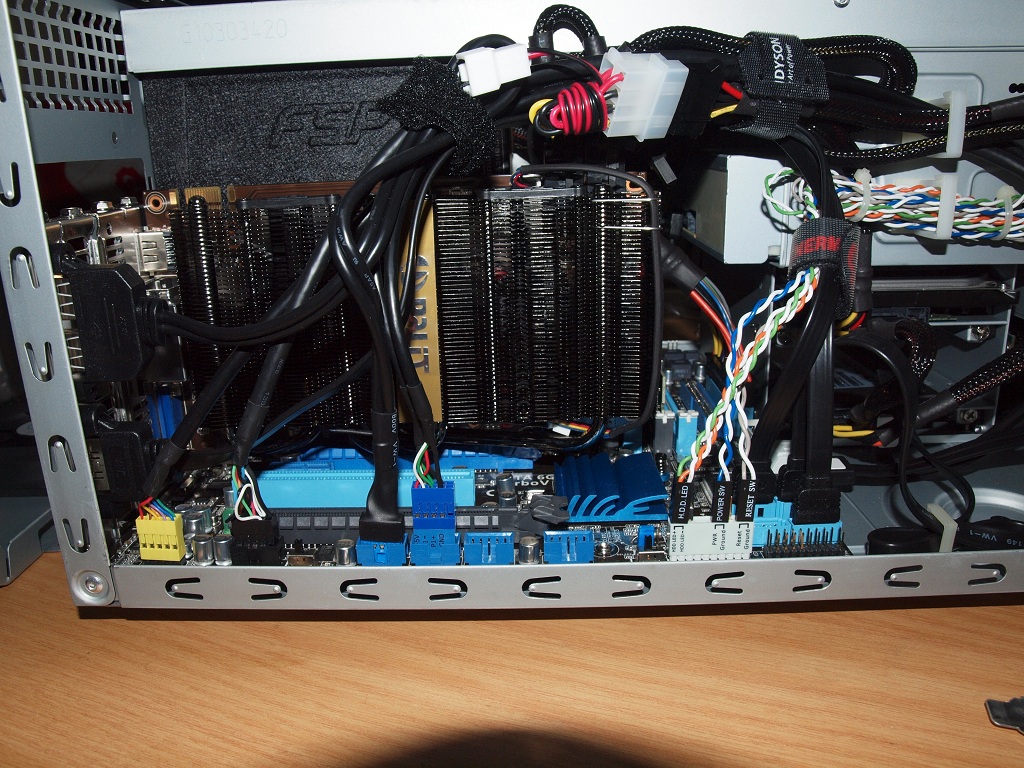
As you can see, the cable management is pretty messy. If you wish to have a neater management, I guess a modular PSU will be more useful but the length of the PSU will be slightly longer.

Wednesday, 16 November 2011

HTPC build 2011 part 2/3

Next up, I am going to choose the storage device and PSU. All the while, I had been using HDD although SSD has been available for couple of years now. However, due to the steep price when it was first released.

I wouldn't think of buying it until recently where the price dropped to a reasonable level I guess. If you buy it online, it seems to be cheaper than buying locally but the warranty will be an issue since it needs to be send back in an event of RMA. Therefore, I rather pay a bit more for the local warranty to save the hassle.

As for the advantage and disadvantages, there is plenty of websites explaining the differences between SSD and HDD. One of the major advantages is the access speed and therefore, I decided to buy one as a boot drive since it is said to be much much faster compared to HDD.

I choose Crucial M4 64GB after reading the reviews and it is manufactured locally (they have a production plant here), it may not be the fastest SSD but it is pretty stable according to reviews. Moreover, it is a SATA3 interface and seems to be the least costly compared to other brands.   

My unboxing video below:

Crucial M4 64GB SATA3 SSD unboxing

The picture:

The package

Well, I do feel Crucial is a bit stingy in way that not even the the mounting screws is provided. Only the manual is given and nothing else. It will be good to have a couple of screws or maybe a 3.5" to 2.5" bay converter since it is much more expensive compared to HDD. At least it will let the user have a "feel good" factor. 

For the PSU, FSP Aurum 500W Gold seems to be a good choice. It is shorter by 2cm compared to its modular counterpart and other PSU. Moreover, it has a Gold efficiency rating and so in the long run, it should save some electricity bills.

My unboxing video:


The picture:

The package

Wednesday, 9 November 2011

HTPC build 2011 part 1/3

The day came earlier than expected to upgrade my PC. As mentioned before, I am going for a smaller PC rather than ATX form factor. So I decided on mATX rather than mini ITX as mATX still have some expansion slots if I need it but not as much slot as ATX board.

For the case, I had been researching online for different type of mATX available locally. As most of the case seems to be those typical tower type mATX casing, which is the ones I want to avoid. And also I prefer the board to be sitting down rather than mounted sideways. So there isn't a lot of choice available for SFF case. And Silverstone seems to fit the bill as it is available locally.

The link for the case:  Silverstone SG-02F
 
As you all may already know, Silverstone makes interesting and unique cases. This particular shoebox type case caught my eye which is the SG-02F, they are in the SFF(small form factor) category. Small but has almost everything.  It is only half the height of my current NXZT alpha gaming case and it is shorter in length too but slightly wider.

Do take note it is not a new model, it is couple of years old so no USB 3.0 front port for it. It has a full aluminium version and a steel version, the steel version is the one I am looking for since it cost lower but has the same design other than lesser front USB 2.0 ports.

Also the cable management might be a issue too since the room is really limited. But I guess there has to be some sacrifices made somewhere for its small form. It cost around 92-95 SGD for the steel version and the aluminium type cost around 155 SGD locally.

My unboxing video:

Silverstone SG-02F

The pictures:

 Pic 1

 Pic 2

 Pic 3

 Pic 4

 Pic 5

 Pic 6

 Pic 7

 Pic 8

Pic 9

Also, if you wish to use the crossflow fan, you need the default heatsink or some other brands low profile CPU cooler like Scythe Kozuti. Otherwise, you will not be able to mount it.

Wednesday, 2 November 2011

CPU Heatsink for impending HTPC build

For my coming PC replacement, I decided to build a HTPC which is capable of gaming. So I will be using a SFF (small form factor) casing, as I started to feel that for my current ATX board seems to have too much unused slots and the ATX size casing seems to be too big.

Maybe as I grow older, I prefer a smaller board that can do most of the things and a smaller case for space saving which is more practical in a sense. Now talking about CPU cooler, the Intel default heatsink seems to be pretty small and it cools well but I prefer something that is nicer and better heat dissipation.

And so my hunt for a HTPC CPU heatsink begins! I was looking through some CPU heatsink review and came across this nice little product from Scythe. I believe the height of the heatsink is one of lowest (4cm) among all the low profile heatsink products out there and it looks pretty nice too.

Below is the link of its specifications at its official website:


However, it is not easy to find Scythe over here although it has a distributor and price is slightly more expensive than getting it online. Therefore, I decided to get it online since this online shopping website was recommended by the forum users that I frequents. For those who are interested, the website is as below:


After visiting it, they do have a quite a variety of computer products and I managed to find the product I wanted. The shipping took slightly more than a week to reach my doorsteps for my case since it is in stock.

Unboxing video:


Also, in my soon to be HTPC post, will put a few pictures in comparing its height between the Intel default heatsink and Kozuti.